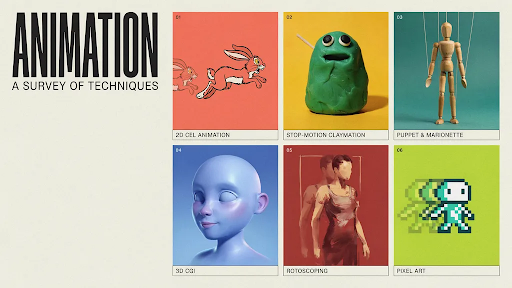
There are many different types of animation, but the right choice usually has less to do with taste and more to do with the job of the video.
That sounds obvious until a project starts.
Someone on the team finds a glossy 3D reference. Someone else likes a clean 2D brand film. Another person wants bold motion graphics because they saw a SaaS ad that looked sharp. All fair. References help. But they can also pull the project in the wrong direction.
A product demo, a software walkthrough, a social ad, a training video, and a medical device animation should not be treated the same way.
The style should answer the viewer’s question.
1. 2D Animation

2D animation works well when the video needs a simple situation people can recognize.
A customer gets stuck during checkout.
A new employee does not understand a process.
A student finally understands a rule.
A patient wants to know what happens after an appointment.
These do not need deep product detail. They need clear scenes.
That is why 2D animation is common in education, healthcare, HR, service pages, app videos, customer support, training content, and many explainer videos. It can feel friendly without becoming childish. It can also be serious if the script and visual style are handled properly.
A 2D explainer video company can turn a plain idea into a short human moment. That is the real strength of 2D. It makes a problem easy to see.
I would avoid it when the buyer needs to study the product itself. If shape, texture, parts, or movement matter, 2D may not be enough.
2. 3D Animation
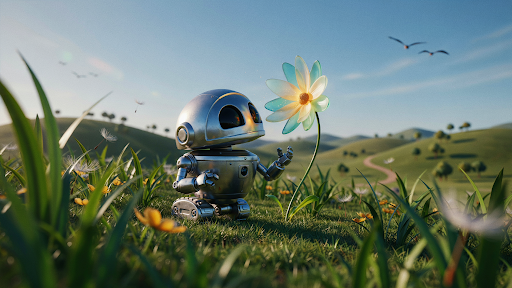
3D animation is often chosen because it looks expensive. That is not a good enough reason.
It should be chosen because the viewer needs depth.
A machine part turning inside a housing. A medical device opening up to show internal components. A skincare bottle rotating under light. A furniture piece showing assembly. A building concept viewed from different angles.
That is where 3D animation earns the extra effort.
A 3D explainer video company can show product movement, hidden parts, scale, materials, and structure in ways flat visuals cannot. For technical products, this can save a lot of explanation.
The practical distinction between 2D and 3D animation is clear: 2D is better for people and daily scenes, but 3D is better for comprehending things.
If 3D does not reveal anything useful, it may only add cost and production time.
3. Motion Graphics
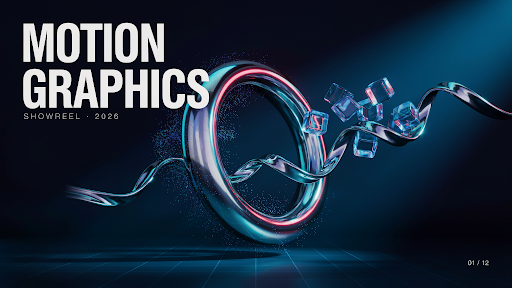
Motion graphics are for order.
A dashboard. A workflow. A financial process. A set of data points. A cybersecurity flow. A logistics chain. A service model that looks boring in plain text.
These topics may not need characters at all.
Motion graphics use icons, labels, lines, charts, typography, UI screens, and controlled movement to help the viewer follow the idea. Good motion graphics feel clean because the movement has a purpose. Bad ones look like shapes flying around for no reason.
This style is useful for finance, SaaS, reports, B2B services, investor explainers, internal presentations, and process videos.
For many animated marketing videos, motion graphics are the most practical option. They explain fast. They revise fairly well. They do not need a long story setup.
The key is restraint. If everything moves, nothing stands out.
4. Whiteboard Animation
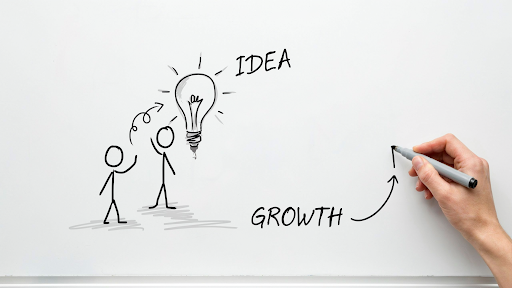
Whiteboard animation still works for the right topic, but it is easy to make it look tired.
The good version feels like a teacher building an idea in front of you. A sketch appears. Then a note. Then the next point. The viewer follows the explanation as it grows.
This makes whiteboard animation an excellent choice for training, education, nonprofit concerns, policy explanations, compliance, and basic financial courses.
Everyone is familiar with the basic version, which includes a stick figure, a lightbulb, a handshake, a dollar symbol, and a couple of arrows. It feels generic because it is.
Whiteboard needs specific drawings. It also needs a script that moves carefully without dragging.
If the topic needs patient teaching, this style can still work. If the product needs beauty, energy, or technical detail, I would choose something else.
5. Stop Motion Animation
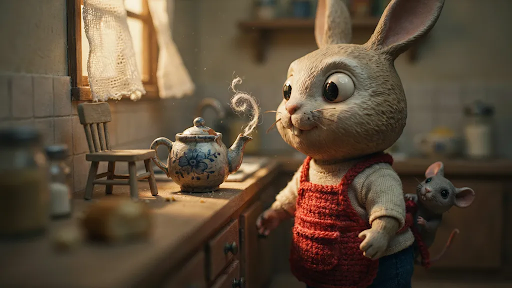
Stop motion has a physical feel.
Paper moves. Clay shifts. A product box opens frame by frame. Food slides across a table. Real props make the video feel handmade and touchable.
That is the appeal of stop motion animation.
It works well for food brands, homemade items, craft enterprises, package launches, children’s advertising, and playful social content. It appears less computerized, which might be refreshing.
The problem is flexibility.
If the label changes after the shoot, or a product detail needs updating, you may not be able to fix it quickly. Sometimes the scene has to be rebuilt and shot again.
Use stop motion when texture and charm matter. Avoid it when the product, offer, or script may change often.
6. Character Animation
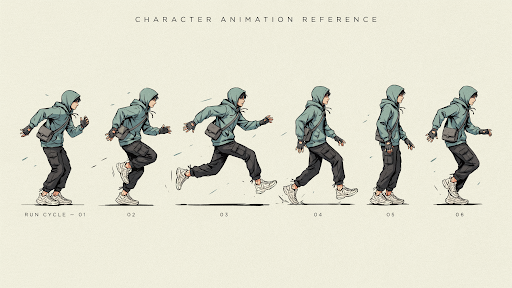
Character animation gives the problem a face.
A tired manager chasing approvals. A founder buried in spreadsheets. A parent comparing learning apps. A customer stuck with poor support. A new employee trying to understand onboarding.
This style works when the audience needs to feel the situation before they care about the solution.
That is why an explainer video company may suggest characters for service businesses, HR, education, healthcare, coaching, fintech, and customer support videos. Some offers sound ordinary until the viewer sees the frustration they solve.
Character animation can also help when a brand wants a recurring mascot or recognizable figure across campaigns.
Still, it is not always the right fit. Technical buyers may not want a character story. They may want proof, detail, and product function. In that case, the character can become a distraction.
7. Product Animation
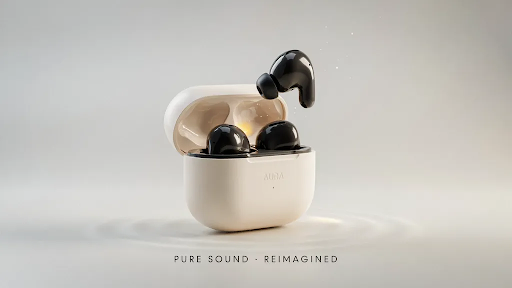
Product animation should show the product properly and quickly.
No long warm-up. No vague opening line. No thirty seconds of atmosphere before the thing appears.
The viewer wants to know:
What does it look like?
How does it move?
What opens, folds, locks, fits, or connects?
What can animation show that a photo cannot?
That is the job of product animation.
It can be either 2D or 3D, with 3D being preferable for actual things with shape, materials, internal parts, or movement. It is ideal for e-commerce, medical devices, technology products, industrial instruments, packaging, consumer goods, and campaign launches.
The product should lead the video.
If the viewer finishes and only remembers the music or background, the video missed the point.
8. Animated Marketing Videos
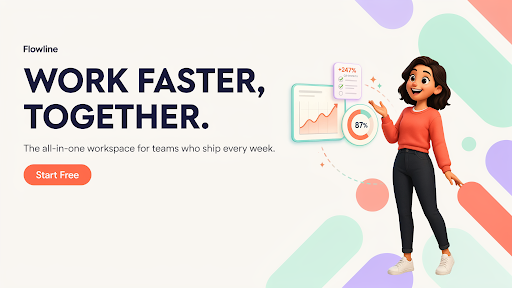
Marketing teams often try to put too much into one video.
The brand story. The features. The benefits. The offer. The process. The testimonial. The CTA. The campaign message.
That usually creates a crowded video.
When choosing types of animation for marketing, start with the funnel stage. A cold social ad may need one pain point. A homepage video may need basic clarity. A retargeting video may need to answer one objection. A product launch may need proof and visual interest.
If you are asking for the best animation style for business videos, the answer depends on what the viewer already knows.
New viewer? Keep it simple.
Interested viewer? Show value.
Warm lead? Give proof.
Buyer with doubts? Answer the doubt directly.
One video should move the viewer one step, not all the way from stranger to customer.
9. SaaS Animation
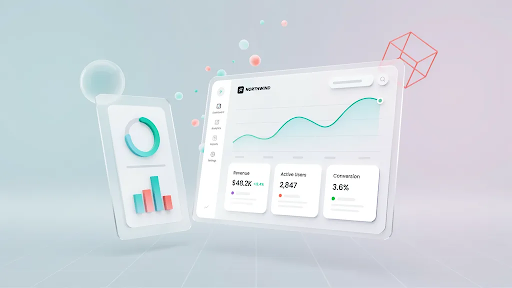
SaaS videos get heavy when they try to explain the whole platform at once.
Dashboard, features, integrations, reports, onboarding, automation, user roles, pricing logic. It is too much. The viewer leaves with a general impression but no clear memory.
A SaaS explainer video company will usually break that into smaller videos.
One homepage video for the main promise.
One feature walkthrough for a specific workflow.
One onboarding clip for new users.
One demo-page video that explains what happens on the call.
One short sales follow-up answering a common objection.
That approach works because SaaS buyers like to research before talking to sales.
For software, animation often mixes styles. A short character moment can show the pain. Motion graphics can explain the system. UI animation can show the product flow.
This is one of the most useful animation styles for explainer videos because the product may be complex, but the message should feel simple.
10. Mixed Media Animation
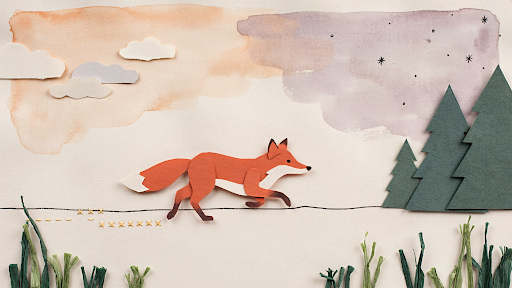
Mixed media can look fresh when it has a clear direction.
It can include live footage, 2D graphics, 3D product shots, pictures, UI screens, typography, motion graphics, and collage-style editing.
Used well, it gives a video energy and variety. Used badly, it feels like several different ideas fighting for attention.
Mixed media works for campaign videos, brand films, event promos, product launches, social ads, and editorial-style pieces.
Every element needs a reason. Live footage may add trust. 3D may show the product. Motion graphics may explain a number. Typography may sharpen a key phrase. UI screens may show the actual experience.
If the viewer notices the style more than the message, the video is too busy.
How to Choose the Right Animation Style
If you are wondering how to choose the right animation style, start with the viewer’s problem, not the visual style.
Do they need to relate to a person? Use 2D or character animation.
Do they need to understand shape, parts, or movement? Use 3D or product animation.
Do they need a process, chart, or workflow explained? Use motion graphics.
Do they need slow teaching? Whiteboard may work.
Do they need something tactile? Stop motion can help.
Do they need pace and variety? Mixed media may fit.
Also be honest about budget and timeline.
3D and stop motion can take longer. 2D and motion graphics are frequently easier to alter, depending on the concept. If your product is subject to frequent modifications, select a style that will not be painful to update.
The right animation style is the one that makes the message easier to understand. That is the test.
Final Words
The different types of animation all serve different jobs. 2D is useful for human stories and simple explanations. 3D helps with products, depth, and technical detail. Motion graphics explain systems, data, and workflows. Whiteboard animation works for teaching.
Stop motion adds a handmade feel. Character animation builds relatability, while product animation shows function clearly. SaaS, marketing, and mixed media videos are designed to fit the viewer’s stage and message. After determining what the audience needs to see, learn, or do next, select a style.
