You have a great idea for a whiteboard animation.
You open whiteboard animation software, start drawing, and expect the video to come together. But then you get stuck on the script, struggle with the visuals, or spend hours fixing the timing.
Does it sound familiar?
Whiteboard animation software is useful for simple projects, but creating a video that explains your message clearly and keeps viewers watching takes more than the right tools.
It’s where a professional whiteboard animation company comes in. From storytelling and illustration to animation and sound, the right team can turn your idea into a video that works for your business.
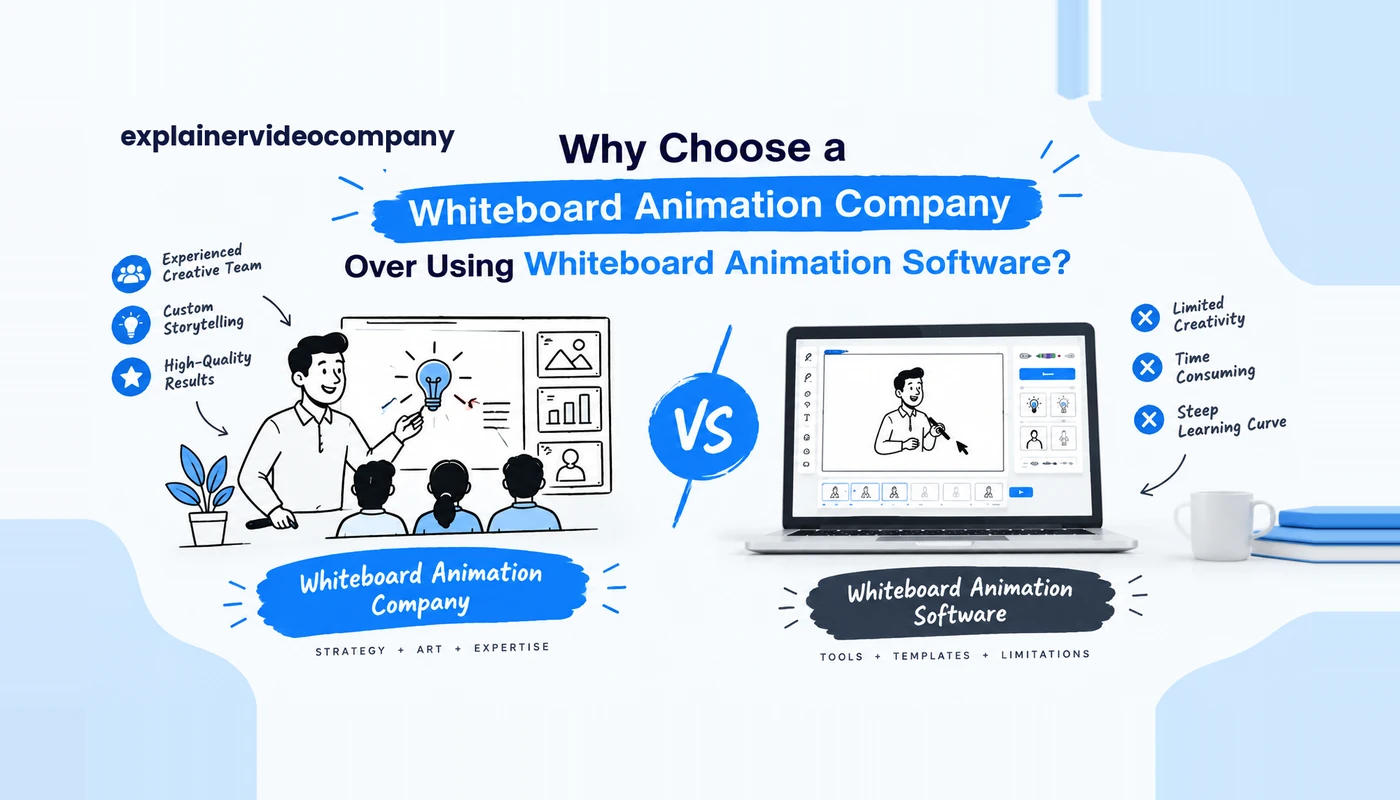
Whiteboard Animation Company vs. Whiteboard Animation Software: How Are They Different?
Hiring a whiteboard animation company to create an animation for your business and buying a subscription and downloading whiteboard animation software pretty much serve the same purpose.
When you hire a professional whiteboard animation company to provide you with a whiteboard animation, they take care of different tasks such as scriptwriting, storyboarding, illustrations, animation, and sound.
However, when you use whiteboard animation software to design your animation, you only get a tool to create a video for your brand or yourself. You have to put in the work, such as deciding on templates, choosing pre-made graphics, and setting basic and advanced animation features, etc. Many whiteboard animation software solutions nowadays come with their own AI variants for quick and easy prompting.
Even though software gives you more control over your animation project, a whiteboard animation company brings the creative skills and production experience required to build an engaging video.
Reasons to Hire a Whiteboard Animation Company Instead of Using Software
1. Get a Professionally Written Script That Holds Attention
Most people jump straight to the visuals. That’s backwards. If the script is muddled, the best drawing you’ve ever seen won’t rescue it, and no software tool will write it for you.
VideoScribe gives you a canvas. Doodly gives you a hand and an image library. Neither one knows what your customer is confused about.
A service hands that job to a scriptwriter, someone who writes these for a living. They’ll ask you annoying questions first.
For example, they will ask: Who is going to buy this? What things can go wrong when creating it? What should be the end goal once the video ends for them?
Then, based on your feedback, they create narratives that fit best in the time you’ve decided for your whiteboard animation to run.
Whiteboard Animation Script Length and Storytelling
Most people expect a whiteboard animation to be at least 1 minute long, so a video script can be anywhere around 140 to 160 spoken words max.
How does it actually appear in practice?
Your complex idea gets a full-on story. For example, if you’re running an accounting firm where you want to explain bank reconciliation and sell software, a weak script will only list features, and that’s it. A good one, however, will set the scene of a bookkeeper looking at 300 unmatched transactions at 4 p.m. on a Friday, and the video will further explain how the reconciliation software helps clean or organize them.
The kind of audience for whom you’re creating the script also matters a lot. For example, a CFO wants to hear about errors and needs proper auditing done for identifying them, whereas a new hire wants to know which screens of the software they need to open. Although it’s the same product, two different scripts are required.
A whiteboard animation script is often cut by 60% to deliver the core message. Things like pricing tiers, the full integration list, tech specs, and all the other details can all go on the landing page underneath the video. The script keeps only what the viewer needs to take the next step.
Whiteboard Animation Scriptwriting Process
When you’re dealing with a whiteboard animation company, most of it just slides under the hood.
Check out our whiteboard animation scriptwriting blog if you’re interested in understanding the process.
Read Here: 4 Simple Tips for Whiteboard Animation Script Writing
They cut down time by serving you:
- A questionnaire outlining the requirements. You can cover them in a short discovery call (usually 30 to 60 minutes).
- A creative brief. It normally includes information on audience, brand messaging, tone of voice, and the calls to action required.
- Your initial draft, which outlines the word count and the estimated time required to run the video.
- The edits. One or two rounds is typical.
- A final script. Nobody draws anything until you sign off, because changing words after animation starts means redrawing scenes.
2. Create Custom Illustrations To Match Your Brand Value
Find any popular whiteboard tool, and there you will find a big library of ready-made drawings. Sounds handy, doesn’t it? Well, not exactly.
Here’s the catch people seldom talk about. Each of these software tools has thousands of other subscribers who are pulling information from that same library.
The lightbulb idea that you banked on so much? Hundreds have already used it. The little rocket you were so fond of for showing growth? Your viewers have already seen it before.
Half of all your competitors are probably using them in all of their videos.
On the other hand, when you hire a whiteboard animation company to make your video, they often provide you with an illustrator who draws these elements and ideas from scratch around your script.
Your product, your customers, your colors, everything is custom-drawn.
What you get out of that:
You get drawings that are purely unique and yours (which means a freight company showcases its own trucks and not a templated one, a dental clinic shows its real treatment room, and not a cartoon grinning).
You receive a look that’s consistent across all the animation sequences. (Before any scene gets drawn, the illustrator sets up their own character sheet and a color guide. A woman in scene #1 appears the same as in scene #2 or scene #12.)
You can easily explain hard-to-explain things through your views. (Stock art can’t show the inside of an insulin pump while administering a dose, but an illustrator can draw cutaways, cross-sections, and arrows.)
3. Benefit From Professional Animation and Smooth Transitions
Here’s something most whiteboard animation software tools rarely mention on their websites. Everything in a whiteboard animation has a certain draw time, and in most tools you set them on a timeline. Then you simply record the voice-over, and when you’re done, you realize half of the timeline was off. So, just say, if you want to change any sentence in your script, you have to go all over it again and retime it.
A professional animator, on the other hand, is available and open for reviews and revisions. They are present all day helping you get the timing right properly.
When a point or two needs to be changed, they redo it.
Hiring a professional whiteboard animation company for your next big project means:
You get a well-timed animation video where the voice-over matches the pace of your whiteboard animation. For example, if the narrator is talking about a bright sunny day, the hand will precisely draw the sun and the scene, without falling behind or moving forward. It sets the scene just right according to the narration.
You get a smoother animation transition, which means when an animator draws your whiteboard illustration, it draws the important elements first and moves to the less important ones later.
The difference is a fine line that differentiates a viewer following along from a viewer who loses interest and drifts away. In all of it, there are a few DIY mistakes that show up most of the time:
- Playing music as loud as the narrator.
- Everything draws at the same speed, so nothing stands out.
- Whole sentences get hand-written letter by letter while the viewer waits.
- One scene crammed with eight or ten objects and no obvious place to start.
- A different transition in every scene, because each template had its own default.
When you hire a whiteboard animation studio, they often assist you in overcoming them and achieving better results.
4. Save Time and Reduce the Learning Curve
When you opt for a software subscription, it may appear to be the cheaper alternative. And apparently, you ask yourself or someone else to sit down to make the video.
And here’s what you will be doing moving forward:
- You will be learning the tool yourself, which includes the timeline, draw paths, camera moves, export settings, and everything else.
- You prepare the script, handle the rewriting, and then time it all with the visuals.
- You dig through the image library, or draw and import your own when nothing fits.
- You will have to record the voice-over yourself, or hire someone who can do it on your behalf.
- You find music you’re actually licensed to use. Then you fix the volume and get it right under the voice.
- You fix sync every time the script or the voice changes.
- You export, check it on each platform, and export again.
That’s seven different skills, all merged into one where you’re tasked with wearing all the hats. With an in-house whiteboard animation team, you have one in-house resource, or maybe two.
When you hire a whiteboard animation company, they split the tasks among members.
| Task | Who handles it |
|---|---|
| Script | Scriptwriter |
| Storyboard and illustrations | Illustrator |
| Animation and timing | Animator |
| Narration | Professional voice actor |
| Music and sound effects | Sound designer |
| Schedule and feedback | Project manager |
When Is Whiteboard Animation Software a Better Choice?
Choosing between whiteboard animation software and hiring a professional service can often be a daunting task. But if you’re still trying for whiteboard animation software, here are some scenarios where you can use it.
- When you’re running low on budget and you want to display a simple message (if your idea is big, then you need to spend more on professional production).
- You need quick videos for internal use; for example, to run training material with your team, send out announcements, or simply send short instructional videos.
- You want to experiment with animation yourself.
- You are comfortable working with different templates or handling the entire production. It means you can write your own script, select graphics, adjust timing, or edit the video.
- You are not all-in on highly customized visuals. You can get by with pre-made illustrations.
How Much Does It Cost to Hire a Whiteboard Animation Company vs. Use Software?
Here’s a side-by-side comparison of how much it costs to hire a whiteboard animation company compared to whiteboard animation software.
| Cost area | Hiring a whiteboard animation company | Using whiteboard animation software |
|---|---|---|
| Typical upfront cost | Usually quoted per finished minute; the common agency range is about $1,000–$5,000/minute, with premium custom work higher. | Subscription-based: VideoScribe from $12.50/month ($150/year); Animaker has a free plan and paid tiers; Doodly is $49/month or $490/year. |
| Typical project cost | A 60–90-second video often lands around $1,000–$7,500+, depending on complexity; full projects can reach $3,000–$20,000. | A one-off video may cost only the subscription period—e.g., $12.50–$49—plus optional assets, voice-over, and your time. |
| Scriptwriting | Often included or available as a paid add-on; professionals handle messaging, structure, and storytelling. | DIY: you write it yourself; some tools offer AI script assistance, but quality and strategy remain your responsibility. |
| Illustration / visual style | Custom illustrations, brand styling, characters, and storyboards are major price drivers. | Mostly template and stock-library based; custom assets may require separate design work or asset purchases. |
| Voice-over | Professional voice talent is commonly included or quoted separately; quality and language options affect price. | Often DIY or AI voice; paid plans may include text-to-speech, while premium human voice-over is an extra cost. |
| Music and sound effects | Usually included in studio packages or itemized in the quote. | Libraries may be included, but premium tracks or commercial-use licensing can add cost. |
| Revisions | Usually a set number of revision rounds; extra rounds commonly increase the final invoice. | Unlimited self-edits, but every revision consumes your own time; there is no external team to implement feedback. |
| Rush delivery | Rush fees are common because the studio must prioritize resources and overtime. | No rush fee, but the deadline pressure falls entirely on you. |
| Production time | Mostly handled by the agency; your time is mainly briefs, feedback, and approvals. | Significant DIY time: learning the tool, scripting, finding assets, animating, syncing audio, exporting, and revising. |
| Training / skill cost | None beyond managing the project. | You must learn the software and basic animation/editing principles; this is a real hidden cost for first-time users. |
| Free options | Rare; agencies may offer a consultation but not free finished videos. | Common: Animaker has a free watermarked plan; VideoScribe offers a 7-day trial with 3 watermarked downloads and a 5-minute cap; Doodly offers a 14-day trial. |
| Commercial rights / watermark | Typically included for a client-owned deliverable, subject to the contract. | Free tiers usually watermark exports; paid plans generally remove watermarks and may add commercial-use rights. |
| Best for | High-stakes marketing, sales, training, investor, or brand videos where polish and speed matter. | Low-budget, internal, social, educational, or iterative videos where you can invest time instead of money. |
How to Choose the Right Whiteboard Animation Company?
Choosing the right whiteboard animation studio requires following a structured process.
The end goal is not just to get a whiteboard animation with fast flow and attractive drawings; it’s hiring a studio that can translate your business into something the audience understands.
Step # 1 – Define Business Objective
Before you start with any animation studio, it’s wise for them to understand what your business does. Write a single-page brief that covers the video’s goal, and share it with them.
Check if they understand your target audience, key messaging, and distribution channels. You can also use this opportunity to discuss the budget range and the brand guidelines.
The client can also tell you whether they want to work with the same version or a different one across different channels, be it social media, a website, training sessions, or sales channels.
Step # 2 – Check Their Portfolio
Check if they are open to showing any of their finished whiteboard videos and not only highlight reels.
Check if the animation studio has worked for different businesses, industries, or different use cases.
You don’t need to judge the business based on animations that are actively running on their website. You can watch complete videos to understand their pacing, clarity, narration, and illustration quality.
It’s always best to ask the animation studio to present a few examples beforehand.
Step # 3 – Assess Their Script Writing Capability
The script is basically the biggest challenge.
It’s also the strongest driver of whether the animation video is going to work or not.
Request a short sample script, and check how they write, whether they research the business, product, or audience.
A capable studio is one that can understand the script and turn it into a compelling narrative instead of just narrating your existing copy.
Step # 4 – Decide Timeline and Revisions
When onboarding an animation studio, it’s always wise to discuss which production schedule they wish to follow, whether they would decide the milestones beforehand, and whether they will charge one final fee when the project closes.
Meanwhile, if they are open to discussion, you can confirm how many revisions they are willing to offer, what the average revision count will be for a single video, and how much extra they will charge for it.
Step # 5 – Confirm Usage Rights
Have a few things in writing, such as:
- Who owns the finished video and custom illustrations?
- Are editable source/project files included?
- Can you reuse assets in future marketing?
- What licenses apply to stock music, fonts, images, or voice talent?
- Does commercial use cover paid ads, social platforms, your website, and future edits?
In an ideal situation, the contract should have a clause mentioning the final video and custom artwork.
Ideally, the contract should grant you ownership of the final video and custom artwork, with any third-party license limits clearly disclosed.
Step # 6 – Confirm Ownership and Communication Channels
Check the responsiveness of sales and predict the production experience.
Also, ask clients for references and case studies, especially from projects with complexity.
Also, check how they react to the audience and strict/tough deadline pressures.
A good animation studio always assigns a point of contact, explains how it handles delays, and is always transparent. It always explains what happens when the scope changes.
| Area | What to confirm |
|---|---|
| Portfolio | Full-length samples in a similar style, industry, or use case. |
| Strategy | They understand your audience, message, and conversion goal. |
| Creative team | Scriptwriter, illustrator, animator, voice-over, and project manager roles are clear. |
| Pricing | Quote includes script, art, animation, audio, revisions, and delivery formats. |
| Timeline | Milestones and approval gates are scheduled. |
| Revisions | Number of rounds, scope of a round, and extra fees are defined. |
| Ownership | Final video, custom assets, source files, and commercial rights are contractually clear. |
| Communication | Named contact, feedback process, and escalation path. |
Conclusion
Whiteboard animation software and a whiteboard animation service solve different problems. Software gives you a tool. A service gives you a finished video, along with the script, drawings, voice, and timing that make it work.
A professional service gives you the most for your money when:
- the video faces customers and is tied to sales, sign-ups or demo bookings
- your product or process is hard to explain, so the script has real work to do
- you want custom illustrations that look like your brand, not a stock library
- you need several versions from one project, for example, a landing page cut, ad clips, and vertical social edits
- nobody on your team has the time or the skills to script, draw, animate and record
DIY software makes more sense when:
- the video is internal, short-lived, or a quick test of an idea
- your budget is a few hundred dollars rather than a few thousand
- you’ll make videos often and can train one person to own them
- stock images and a simple voice-over are good enough for your audience
So, before you decide, answer three questions honestly. What can you spend? Studio work runs from about $500 to $5,000+ per finished minute, while the software plans covered above cost between $12.50 and $79 a month. How many videos do you need, and how often? And what will your viewers expect: a polished piece that represents your brand, or a quick explainer?
If your answers point to one high-stakes video that has to carry your company’s message for the next year or two, hire professionals. If they point to frequent, low-stakes videos and someone with time to learn, buy the software. You can also do both: a studio-made video for your website and sales team, and software for quick internal updates.
