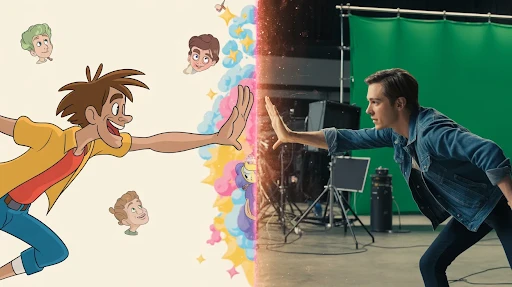
A live action animation explainer video can work really well when a brand has two problems at once. The product needs to feel real, but the explanation needs help. That is exactly where plain live footage can fall short.
A person talking on camera may build trust, sure, but they cannot easily show invisible workflows, data movement, app logic, or technical product details. Animation fills that gap.
So no, mixed media is not just a “cool style.” Used properly, it is a practical way to stop viewers from guessing what your product actually does.
What a Live Action Animation Explainer Video Actually Does
A live action animation explainer video mixes filmed footage with animation. That could mean a founder speaking on camera while icons appear around them. It could be a customer using a product while animated callouts explain what is happening. Or it could be a software demo where real footage, UI animation, and simple graphics all work together.
That is the basic idea behind a mixed media explainer video.
The live-action side gives the viewer something grounded. A face. A product. A real setting. The animation then explains the pieces that the footage cannot show clearly.
A good explainer video company should not add graphics just to fill the screen. Every visual layer needs a job. If it does not clarify, highlight, or move the story forward, it probably does not belong.
Why Plain Live Action Often Is Not Enough
Live action is good at trust. It shows real people and real environments. That helps, especially if the brand needs to feel human.
But it has limits.
Try filming how a cloud platform saves time across three departments. Try filming how a payment flow protects customer data. Try filming the “before and after” of a messy internal workflow without making it look like a fake office scene.
That is where live action and animation start to make sense together. The footage creates context. The animation makes the idea readable.
You are not asking the viewer to imagine the value. You are showing it.
The Real Benefits of the Mixed Format
The biggest benefits of live action animation explainer videos are not about making the video look expensive. They are about making the message easier to believe and easier to follow.
Live footage helps with credibility. Animation helps with clarity. Together, they can make a product feel more understandable without stripping away the human side.
This is useful when the product is:
- hard to explain in one sentence
- too abstract for simple filming
- too personal for full animation
- too technical for a basic talking-head video
- too important to leave unclear
That is why the format works well for healthcare, finance, SaaS, training, product demos, and service-based brands.
When Mixed Media Is the Right Call
The question is not whether mixed media looks good. The question is whether it solves a real communication problem.
When to use mixed media explainer videos is usually clear once you look at the message. If the audience needs to see a real person or product, live action matters. If they also need diagrams, UI movement, data visuals, or visual shortcuts, animation matters too.
A basic talking-head video may work for a quick update. A fully animated piece may work for a simple service explanation. But when the buyer needs both trust and clarity, a hybrid explainer video can do more.
One example: a cybersecurity company films a team member explaining the risk. The animated overlays show how the threat moves through a system. The viewer gets the human authority and the technical breakdown in the same video.
That is the point.
SaaS Products Are a Strong Fit
A mixed media explainer video for SaaS products can be especially useful because software is not easy to film.
You can show a person using a laptop, but that does not explain the platform. You can show screens, but too many screen recordings get dull fast. Mixed media gives you a middle path.
A SaaS explainer video company might combine a short presenter clip, screen captures, animated cursor paths, interface zooms, motion graphics, and quick callouts. Done well, the video feels guided instead of crowded.
This works for onboarding, feature launches, sales pages, product demos, and help-center content.
The mistake is trying to show the entire platform. Do not do that. Pick one painful workflow and explain that properly.
2D Can Keep Things Clean
Not every mixed media video needs big visual effects.
A 2D explainer video company can bring a lot of clarity with simple graphics, icons, animated scenes, charts, and text callouts. This is often enough for apps, services, customer journeys, and process-based videos.
Say a logistics company films real warehouse footage. The 2D animation shows shipment flow, delays, route changes, and delivery updates. That makes the video useful without turning it into a heavy production.
2D works best when the idea needs structure. It can simplify without making the video feel cold.
3D Helps When the Product Needs Depth
Some products need more than flat graphics.
If the product has parts, layers, scale, motion, or internal mechanics, a 3D explainer video company can make the mixed media format much stronger. Live footage can show the product in use. 3D can show what happens inside it.
This works for medical devices, machinery, hardware, architecture, industrial tools, equipment, and technical products.
A filmed hand holding a device builds trust. A 3D cutaway showing how it works builds understanding. Together, they can make a product demo video feel more complete.
Use 3D when depth matters. Do not use it just because it sounds premium.
How to Combine Both Without Making a Mess
The key is planning.
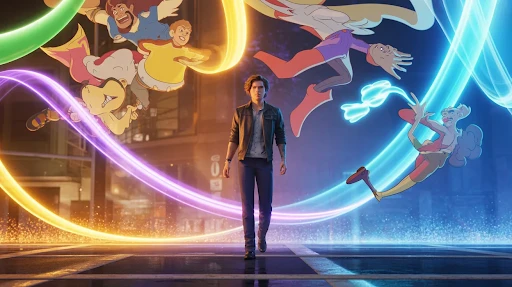
Too many teams film first and think about animation later. That is how mixed media starts looking patched together. The footage has no space for graphics. The camera angle fights the animation. The edit feels like two separate videos glued into one.
If you want to know how to combine live action and animation in explainer videos, start with the script.
Mark the lines that need real footage. Mark the lines that need animation. Leave visual space in the frame. Plan where the text will sit. Decide where the viewer’s eye should go.
Good mixed media feels intentional. Bad mixed media feels like someone added moving graphics because the footage was boring.
Why It Can Help Conversions
Here is how mixed media videos improve conversions: they reduce doubt.
People do not convert because a video has nice transitions. They convert when they understand the offer, trust the company, and feel confident about the next step.
Mixed media can help with all three.
The real footage makes the brand feel less faceless. The animation makes the message easier to follow. The visual rhythm keeps people from dropping off too early.
That is why conversion-focused videos need more than style. They need a clear path.
Problem. Explanation. Proof. Next step.
If the video skips that structure, the visuals will not save it.
Where Motion Graphics Fit
Motion graphics are often the glue in mixed media videos.
They can highlight numbers, label product parts, show steps, add arrows, bring UI screens to life, or turn a dull explanation into something easier to track.
But use them carefully. Too many graphics can make the video feel noisy. If everything is moving, nothing feels important.
Good motion graphics guide the viewer. Bad motion graphics beg for attention.
There is a difference.
What to Avoid
Do not make the live-action part fake.
Bad office acting, forced smiles, fake customer scenes, and generic stock footage can hurt the whole video. If the footage feels staged, the animation will not rescue it.
Do not over-explain either. A mixed media video still needs restraint. One clean idea is better than five half-explained ones.
A brand storytelling video should feel like it knows why it exists. If the story is only “we are great,” the format does not matter. People have heard that already.
Give the viewer a real reason to care.
Frequently Asked Questions
Final Words
A live action animation explainer video works best when the brand needs trust and clarity in the same piece. Live footage gives the viewer something real to connect with. Animation explains the parts that are hard to film.
Together, they can make products easier to understand, reduce confusion, and support video marketing conversions without making the content feel like a boring demo. The key is control. Plan the mix early, keep the message tight, and make every visual earn its place.
